
ELECBRAKES IN-CAR REMOTE


WHAT IS THE EBR?
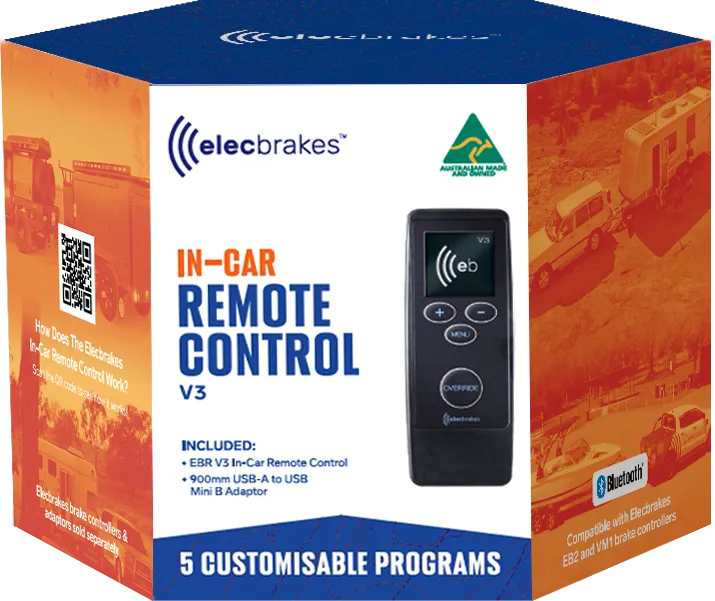
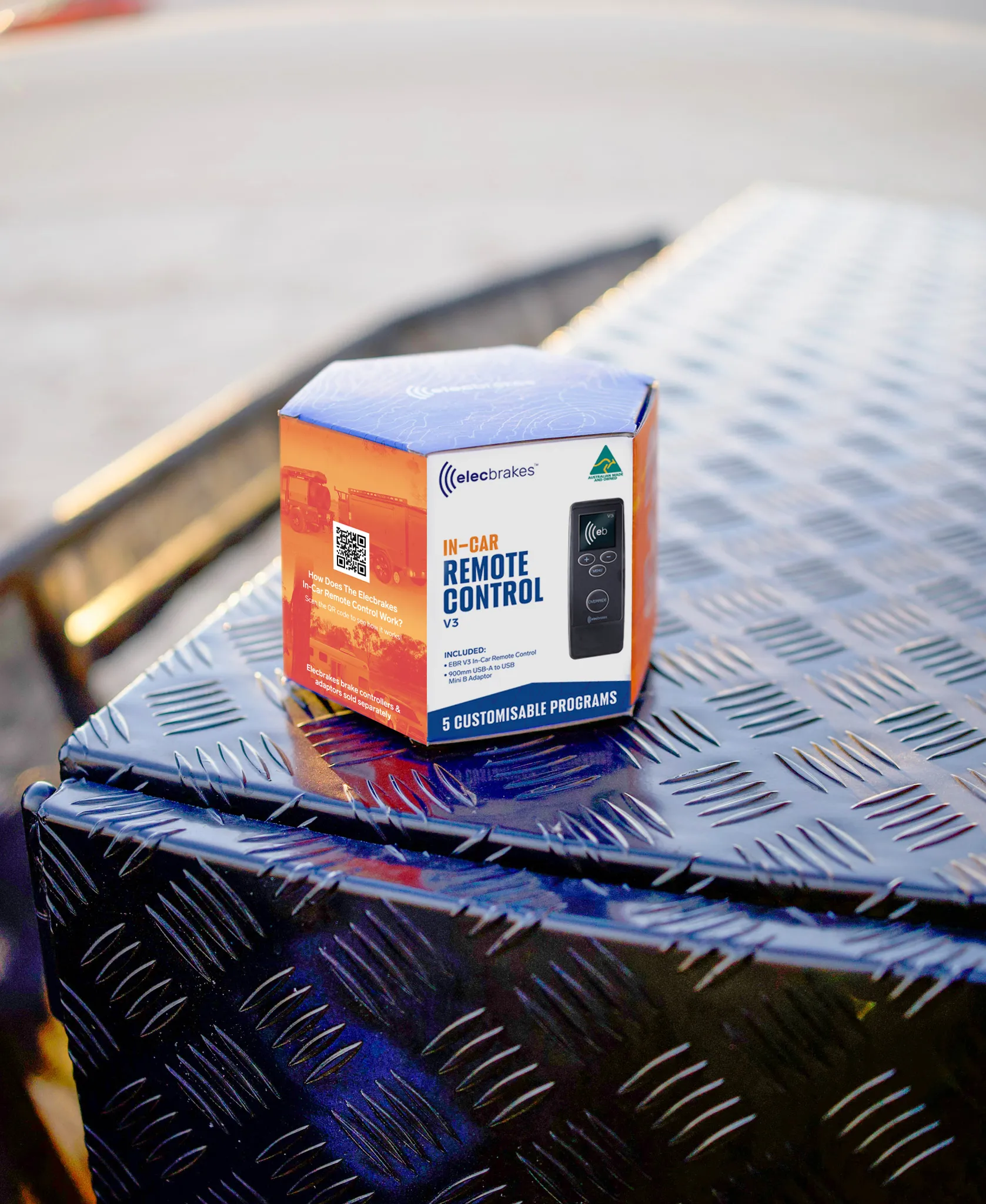
The Elecbrakes V3 In-Car Remote Control (EBR) provides a simple, dedicated interface for managing your Elecbrakes EB2 or VM1 brake controller from inside the vehicle.
Designed for drivers who prefer physical controls, the EBR allows you to adjust brake response, switch between programs and activate the manual override with ease - all from the driver's seat.
Powered directly by your vehicle via USB, the EBR includes a 900 mm USB-A to USB Mini-B cable for quick setup. It connects via Bluetooth® and delivers reliable, real-time control without requiring permanent installation or vehicle modifications.
Ready to buy?
From A$180
FIND A STOCKISTKEY FEATURES
Physical controls, a clear display and direct access to essential braking functions - all within easy reach from the driver's seat.

Designed For EB2 And VM1
Compatible with Elecbrakes EB2 and VM1 brake controllers, providing a dedicated in-car interface without relying on your phone during the journey.

Brake Response At Your Fingertips
Fine-tune Forward, Minimum and Reverse brake response directly from the Remote to suit your trailer, load and driving conditions.

Pressure-Sensitive Manual Override
Apply the trailer brakes independently using the pressure-sensitive OVERRIDE button. A light press delivers a gentler response, while pressing more firmly increases the braking force.

Switch Between Saved Programs
Quickly select from five user-defined brake programs saved to your controller, making it easy to move between different trailers, loads or towing setups.

Adjust SwayControl Settings
Adjust SwayControl sensitivity or turn the feature off directly from the Remote to suit changing trailer setups and driving conditions.

Live Braking Display
A clear, always-visible interface provides live braking indication and lets you see your active settings and program at a glance.

Real-Time System Alerts
Receive immediate on-screen notifications for power, voltage, temperature, current, connection and system faults, helping you identify when something requires attention.

USB Powered
Connects to your vehicle using the included 90 cm USB-A to Mini-B cable, with no batteries to charge or replace.
REMOTE SPECS
Core interface, power and compatibility specs for the Elecbrakes V3 Remote.
| Spec.Specification | Details |
|---|---|
| Model | EBR V3 |
| Compatibility | EB2 and VM1 brake controllers |
| Connection | Bluetooth® wireless technology |
| Power | USB, 900mm USB-A to USB Mini-B cable included |
| Display | Built-in screen with live brake indication |
| Controls |
|
| Brake programs | 5 user-defined profiles |
| SwayControl | Sensitivity adjustable, can be turned off |
| Manual override | Pressure sensitive |
| Paired devices | One at a time, EBR or smartphone |
| Weight | 50g |
| Dimensions | 115.6mm x 40mm x 10mm |
| In the box |
|
| Warranty | 2 Years |
RESOURCES & SUPPORT
Read the User Guide for set-up, pairing and day-to-day operation, or head to the Help Centre for troubleshooting and support.
INSTALL VIDEOS
Watch setup and install videos in our video library for a more visual step-by-step guide to getting your remote paired and configured.
HELP CENTRE
Get quick answers on install advice, troubleshooting, app connectivity, and product support from the Elecbrakes Help Centre.
FREQUENTLY ASKED QUESTIONS
The questions we get asked most about the Elecbrakes Remote: compatibility, pairing, power, and how it works alongside the app.
The choice is yours. The Elecbrakes App provides comprehensive system visibility, including live braking information, diagnostics, firmware updates, and Apple CarPlay and Android Auto™ integration.
For those who prefer physical controls or do not want to use a smartphone while towing, the USB-powered Elecbrakes Remote provides access to brake response settings, five saved programs, SwayControl sensitivity, Manual Override and live system alerts.
Your brake controller can connect to only one device at a time, either the Remote or your smartphone. To switch between them, disconnect the active device before connecting the other.
The EBR works with the EB2 and the VM1. It is not compatible with the older ELBC brake controller.
If you have an ELBC and would like a remote, give our team a call on 1300 516 248 and we'll talk you through your options.
Set-up is a one-time job in two parts.
- Enable the remote in the app. Connect to your brake controller in the Elecbrakes App and go to Settings → Enable Remote.
- Authenticate the EBR. Follow the brake-pedal sequence in the User Guide. This is done once per brake controller and confirms the EBR belongs with that unit.
After that it reconnects on its own whenever it has power.
The EBR is powered via USB and comes with a 900 mm USB-A to USB Mini-B cable that connects to a USB port in your vehicle. There are no batteries to charge or replace, and the Remote powers on with your vehicle.
- Elecbrakes Remote (EBR) V3
- 900mm USB-A to USB Mini-B adaptor cable
Your trailer brakes will continue to operate using the settings saved to the brake controller. The EBR is used to adjust settings and activate Manual Override, but it is not required for normal braking.
If the connection drops, check that the USB cable is securely connected and the EBR has power. The Remote should reconnect automatically once both devices are powered. If it does not reconnect, follow the authentication steps in the EBR User Guide.
The EBR is a dedicated in-vehicle control rather than a mobile phone. However, road rules vary between states and territories and may change, so always check the current requirements for where you are driving.
Brake response settings should only be adjusted when the vehicle is safely stationary. Set your preferred braking response before starting your journey and always keep your attention on the road.

FIND A STOCKIST
Find Your Nearest Authorised Dealer
Whether you’re ready to buy or simply exploring your options, our nationwide network of authorised stockists is ready to help.