FREQUENTLY ASKED QUESTIONS
Browse answers to the most commonly asked questions about Elecbrakes products. Use the filters below to narrow down by product or topic.
78 questions in total
Introduction to Electric Brake Controllers
2 questionsAn electric brake controller is an electronic device that activates and controls a trailer's service braking system, making sure the trailer brakes safely and in step with the towing vehicle.
Elecbrakes delivers what no others in the industry can: a truly all-in-one system for smarter, safer, more confident towing. With enhanced braking response, built in SwayControl technology, and an intelligent app offering total system visibility, you are always in control, no matter what you are towing, what you are driving or where you are going.
- Solutions for every towing setup. Choose between the EB2 Trailer-Mounted Brake Controller, designed for multiple towing vehicles, and the VM1 Vehicle-Mounted Brake Controller, ideal for managing multiple trailers. Both are built for reliable and seamless towing.
- No in-car modification required. Say goodbye to hardwiring and dashboard modifications. Unlike competitor products, which often require hours of installation and dash-mounted dials, Elecbrakes offers a hassle-free experience that saves time and money.
- Automatic SwayControl integration. EB2 and VM1 brake controllers feature built in SwayControl technology, transforming your brake controller into an all-in-one towing solution.
- Apple CarPlay and Android Auto™ compatibility. Control and monitor your braking effortlessly via your vehicle's infotainment system.
- Customisable braking profiles. With five pre-set user-defined braking programs, you can switch between trailers and loads with ease.
- Dynamic Slope Compensation. Automatically adapts to changing terrain by adjusting braking response based on the slope, providing smoother and safer braking in all conditions.
- Over-the-air updates. Keep your system up to date with the latest features and performance improvements.
- Built to endure. Designed and manufactured in Australia, Elecbrakes is engineered to withstand the toughest environments. Its water, dust, and shock proof construction ensures durability, even in Australia's harshest conditions.
With state-of-the-art technology, superior convenience, and no invasive installation required, Elecbrakes is the clear choice for drivers who value performance, safety, and reliability.
How It Works
9 questions- ELBC and EB2 connect to the trailer's existing electrical circuits, drawing up to 8 amps each from the parking/tail light and brake light circuits to provide a combined 16 amp service brake output. That suits single and dual axle electric braked trailers.
- An auxiliary power circuit may be added to an ELBC or EB2 installation to allow the use of tri-axle trailers, with output current up to 24A in this scenario. An auxiliary power feed may also be required on some vehicles where the trailer wiring module outputs a variable PWM signal rather than a 12V DC output.
- VM1 uses a dedicated auxiliary 12V to 24V DC power circuit as its power source and the brake light circuit as its trigger. VM1 supports up to 3 braked axles (24A output).
When the brake light circuit is active the brake controller knows that braking is required, and the force applied by the tow vehicle tells it how much additional proportional braking force is needed. The trailer brake force is varied in direct proportion to the measured deceleration and your user defined settings, responding to changes in braking force 1000 times a second (1ms response time).
Elecbrakes brake controllers use an on-board 3 axis accelerometer to register the braking (deceleration) forces applied by the tow vehicle. The braking control algorithm takes your user defined settings into account, set via the Elecbrakes App or the remote, which lets you tune the brake response to your trailer for a smooth result.
These set points are saved to one of the 5 selectable braking programs, so you can achieve the optimal brake response for a particular setup and switch between settings on the fly.
There are 5 selectable programs with starting presets to choose from. These programs can be renamed and adjusted via the Elecbrakes app to reflect your application. For example:
- A trailer that varies in weight regularly, such as empty or full (horse float, car trailer, goods carrying).
- Programs specific to driving conditions, such as sealed road, unsealed road, or slippery surface (ice, clay).
- Programs for different tow vehicles or user feedback preferences using the same trailer.
The percentage of braking response represents the brake application sensitivity. The higher the percentage, the greater the response in the given scenario.
Minimum %: The braking percentage applied to your trailer brakes when a brake signal is detected with no measured deceleration, at slow speeds or stationary. During setup, think of this as what happens when the driver feathers the brake pedal with minimal force applied: a static output is provided to the trailer brakes to start to apply.
Forward %: The proportional component of the braking equation, sometimes referred to as gain. It represents how sensitive the brake controller is to deceleration. The forward response is calculated from the deceleration and added to the minimum response, and the sum drives the output to the brakes.
Reverse %: Operates the same way as the forward response but applies when travelling in the reverse direction. Automatic forward direction calibration means your brake controller knows whether you are braking forward or reverse.
Override %: The override button drives the brakes on your trailer independently of the tow vehicle's brake signal. If override is activated, the brake controller compares the proportional brake response to the override set point and uses the greater of the two.
Elecbrakes brake controllers come with 5 preset programs holding typical starting values to give you a reference point. Because trailer braking efficiencies vary, the brake response settings should be tuned based on the driver's feedback to brake application in different scenarios.
When you first install your brake controller, or hook up a new trailer, it is worth taking some time to adjust the settings. The Elecbrakes app onboarding walks you through the first time setup sequence, and the EB2 User Guide and VM1 User Guide cover it in more detail.
When you regularly travel on different terrains with known adverse conditions, such as clay, unsealed roads or icy conditions, you can preset and rename any of the program settings to reflect the conditions and braking response you prefer.
- When travelling on an incline or decline, the brake controller's intelligent Dynamic Slope Compensation adjusts the output response to compensate, allowing for a smooth and consistent brake response.
- Using the manual override function to apply the trailer brakes on a hill descent may result in the trailer brakes having to overwork, as they are attempting to slow both the weight of the trailer and the tow vehicle. A well set up program will see both vehicle and trailer braking efficiently together to share the effort, and will require no manual intervention.
Elecbrakes brake controllers provide a Manual Override function which can be applied via the app, Android Auto or Apple CarPlay, or the Elecbrakes Remote. It lets you engage the trailer brakes independently of the towing vehicle. This is not a requirement of ADR 38/05 and is provided based on consumer expectations, allowing the driver to attempt to control a trailer sway event by applying only the trailer brakes.
Note: Trailer sway is generally a sign that your trailer is not set up to be towed safely, and you may need to make adjustments to the trailer weight distribution.
Elecbrakes SwayControl
16 questionsSwayControl is a stabilisation feature that continuously monitors your trailer's lateral motion through your Elecbrakes EB2 or VM1. When instability or oscillation is detected, it applies progressive, symmetric braking across all brake magnets, integrating with your existing proportional settings to reduce sway.
Because the intervention is symmetric, it works out of the box with most electric-braked trailers, with no additional sensors or wiring changes required. It activates only when instability is detected.
With full system visibility through the Elecbrakes App and seamless Apple CarPlay and Android Auto integration, you can monitor performance, fine-tune settings, and track your Trailer Stability Gauge to better understand your trailer's behaviour.
All Elecbrakes EB2 and VM1 brake controllers have access to SwayControl from 1 October 2025. If you already own an EB2 or VM1, you will receive a notification in the Elecbrakes App once your unit is ready for the update. Simply follow the in-app steps to install it.
From 1 October, all new EB2 and VM1 units come with SwayControl built in. Please note that our older brake controller product, the ELBC2000, is not compatible.
SwayControl is supported on EB2 and VM1 brake controllers. Older models such as the ELBC2000 are not compatible. You will need to upgrade to an EB2 or VM1 brake controller to access the SwayControl feature.
Yes. Elecbrakes SwayControl and third-party sway controller systems can remain installed together without conflict.
From the third-party system's perspective, SwayControl output simply appears as a typical brake or override response from a brake controller. This means both devices continue to monitor and control sway.
Based on our compatibility testing against popular sway control systems on the market, Elecbrakes SwayControl consistently intervenes earlier on minor sway, reacts more strongly under severe sway, and applies proportional braking until the trailer has settled.
If excessive sway correction or undesirable interactions are noticed, SwayControl can be turned off in the Elecbrakes app.
Yes, for setup and adjustments. Use the Elecbrakes app for initial setup, any SwayControl specific adjustments (on/off, sensitivity, brake program tuning), and for firmware updates.
The core SwayControl logic runs on the device itself, so it continues operating even if your phone is not connected.
Yes. Once enabled, SwayControl continues to function in the background when paired via the remote. You can use the Elecbrakes Remote for day-to-day control and manual override, but you cannot change SwayControl settings, adjust sway sensitivity, or view the Trailer Stability Gauge from the remote.
Yes. The SwayControl logic runs on the device hardware. The app is for visibility and tuning only.
SwayControl is ON by default. You can turn it on or off in two places within the Elecbrakes App.
Home page:
- Press and hold the orange SwayControl icon to turn it on or off.
- A single tap of the orange SwayControl icon lets you adjust the sensitivity level between low and high.
Program settings:
- Go to the Settings page in your app and select the program you want to edit.
- Scroll down to the SwayControl section and toggle SwayControl on or off for that program.
- You can also adjust the SwayControl sensitivity level from low to high.
SwayControl uses your active program's minimum and forward response under the hood, so behaviour matches your setup.
SwayControl respects your program's minimum and forward response, so intervention feels consistent with your tuning. You can also save custom SwayControl settings across all 5 programs, covering SwayControl on/off and sway sensitivity, letting you dial in the right setting for your adventure.
Your tuning still defines the baseline feel. SwayControl intervenes only when trailer instability is detected.
For optimal SwayControl performance, your Elecbrakes EB2 or VM1 should be mounted within 1m of the tow ball, with one flat face parallel to level ground. If you installed your unit using Elecbrakes plug and play adaptors or wired leaders, it is likely already in the ideal location.
If your brake controller is mounted outside the recommended zone, SwayControl performance may be oversensitive. If you need further guidance on the mounting location, reach out to our technical support team.
- When SwayControl is active the central icon turns red on the app, showing the SwayControl logo, and the outside circle indicates the SwayControl output.
- If SwayControl is on, the SwayControl logo in the top left of the app is solid orange, indicating SwayControl is armed.
- If GPS permission has been enabled, speeds above 60km/h arm SwayControl, and if your speed falls below 50km/h it disarms.
- If you are using the Elecbrakes Remote there is limited functionality. When SwayControl is active the remote simply indicates braking. Use the Elecbrakes app if you want to adjust SwayControl settings in the programs.
GPS is integrated into the app to give SwayControl superpowers. It arms SwayControl when you exceed 60km/h and automatically disarms below 50km/h, so SwayControl is there when you need it and gets out of your way when you do not.
Note: The Elecbrakes App supports SwayControl within Apple CarPlay and Android Auto.
Braking programs in the app have been expanded to include SwayControl settings, covering sensitivity and on/off. You can define and save these settings to suit your trailer configuration and driving conditions. SwayControl uses your brake settings to tune its response.
SwayControl is proportional and activates only when instability is detected, scaling with severity. One major advantage of an all-in-one solution is that the system delivers the exact response you need, whether that is precision braking, sway control, or both.
No. SwayControl is an assist. Correct loading, tyre pressure, speed and road awareness remain essential for safe towing.
When SwayControl is active, these events are targeted and brief, so any additional wear on your trailer brakes will be minimal. Elecbrakes SwayControl also notifies you if the system is activating frequently and suggests solutions, such as checking trailer loading or reducing your speed.
Vehicle Compatibility
8 questionsYes. Elecbrakes brake controllers are designed to function with 12V and 24V vehicles registered in Australia and New Zealand, with respect to national standards and applicable ADRs. This includes modern vehicles equipped with trailer wiring modules, and earlier vehicles with fused circuits which are designed to meet the same national standards and ADRs for towing applications.
Yes. Elecbrakes brake controllers accept both 12V and 24V DC input power. The brake controller regulates the 24V input, managing a 12V variable output for proportional control of the service brake circuit.
Elecbrakes brake controllers are guaranteed to work when provided with a 12V or 24V DC input power source. They may work with various aftermarket 24V to 12V step-down converters, depending on the model.
Refer to the voltage converter's technical manual to confirm compatibility. If you are unsure whether the system is functioning correctly with a voltage converter installed, a DC power supply should be provided to the brake controller via the auxiliary input circuit.
For further questions, reach out to our tech team via support@elecbrakes.com or 1300 516 248.
- Vehicles factory fitted with LED lights provide separate circuits for the vehicle lighting and the trailer lighting output.
- Vehicle sockets installed during factory fitment or third party installation follow national standards such as AS4177.5-2004, requiring the appropriate gauge wiring and fuse to accommodate the circuit amperage rating.
- At times, trailers equipped with LED lights may not be detected by some late model tow vehicles when hitched. This is generally due to low current draw compared to trailers fitted with incandescent lights.
- The vehicle may remain in a low voltage or PWM output state, pulsing a low voltage in the 4V to 8V range without changing over to a full 12V output.
Some vehicle manufacturers produce wiring harnesses or adaptors to resolve this, usually incorporating resistors which cause the vehicle to detect the trailer and switch the output to a 12V DC source. While the trailer's LED lights may function off a low voltage input, they may flicker in a way that is not always visible to the naked eye.
Warning: Elecbrakes brake controllers require a minimum input voltage of 10V for consistent operation and functional output response.
In most instances, adjusting the in-car system to 0 will result in no conflicting signals reaching the trailer brakes.
- ELBC / EB2: When installed using an Elecbrakes adaptor, the service brake circuit receives input from the Elecbrakes brake controller only. The adaptor has Pin 5 terminated on the vehicle side to prevent other signals reaching the trailer brakes.
- Trailer wired leader: The leader should be joined directly to the trailer's service brake circuit only, keeping this circuit separate from Pin 5 to prevent other signals reaching the trailer brakes.
- VM1: When connecting the VM1 wiring to the tow vehicle's socket, any existing wiring connected to Pin 5 should be removed and terminated, ensuring the only output applied to Pin 5 is from the Elecbrakes brake controller.
Yes, the system is suitable for use with EV and hybrid vehicles.
The vehicle socket installed during factory fitment or third-party installation follows national standards to provide the appropriate gauge wiring and fuse to accommodate the trailer circuits. Electric and hybrid vehicles maintain separate circuits for the vehicle lighting and trailer lighting output, in a similar fashion to petrol or diesel tow vehicles.
- Elecbrakes brake controllers provide a brake output response when receiving a control signal from the tow vehicle, in the form of the brake light circuit becoming active plus the rate of deceleration detected.
- While driving with adaptive cruise control active, if the vehicle detects a scenario requiring partial deceleration, petrol or diesel vehicles may use a form of compression braking to partially slow the vehicle, whereas electric or hybrid vehicles may use regenerative braking. If compression or regenerative braking is enough to slow the vehicle without using the hydraulic brakes, the brake light circuit will not become active.
- When a greater rate of deceleration is required, the vehicle applies the hydraulic brakes, the brake lights become active, and the brake controller responds.
- Modern vehicles equipped with accident mitigation systems are designed to detect obstacles and respond accordingly, which may involve applying the vehicle brakes to reduce or avoid an accident. In this instance the brake lights become active, triggering the brake controller to respond.
Installation Advice
8 questions-
ELBC and EB2: You need to keep your headlights turned on at all times to provide constant power to the brake controller via the parking/tail light circuit. The only exception is when an auxiliary power circuit is present.
Make sure your headlights are switched to On and not to Auto. Many modern cars have an Auto setting which provides daytime running lights without necessarily providing a park light output to the trailer.
-
VM1: The brake controller receives its power from an auxiliary input circuit, established during the installation process.
VM1 should not be connected to taillight circuits, as some vehicles may register the electrical load as a trailer being permanently connected.
All Elecbrakes products are compatible with a 12V or 24V power supply.
The EBR works with the EB2 and the VM1. It is not compatible with the older ELBC brake controller.
If you have an ELBC and would like a remote, give our team a call on 1300 516 248 and we'll talk you through your options.
When using a 7 pin plug and socket, an optional light duty auxiliary may be provided via Pin 2, suitable for up to 15 amp capacity once the combined lighting circuit current draw is factored in.
This can be sourced from the tow vehicle's battery or, ideally, an ignition triggered fuse block. When routing an auxiliary supply to the vehicle socket, ensure a 20 amp inline fuse is installed.
See the wiring diagrams for reference.
You MUST ensure one of the brake controller's sides or faces is approximately parallel to the ground. This is required for calibration, so the unit can detect the correct forward direction and deliver accurate proportional control.
Note: This can be done by eye and does not require a spirit level or specialist tools.
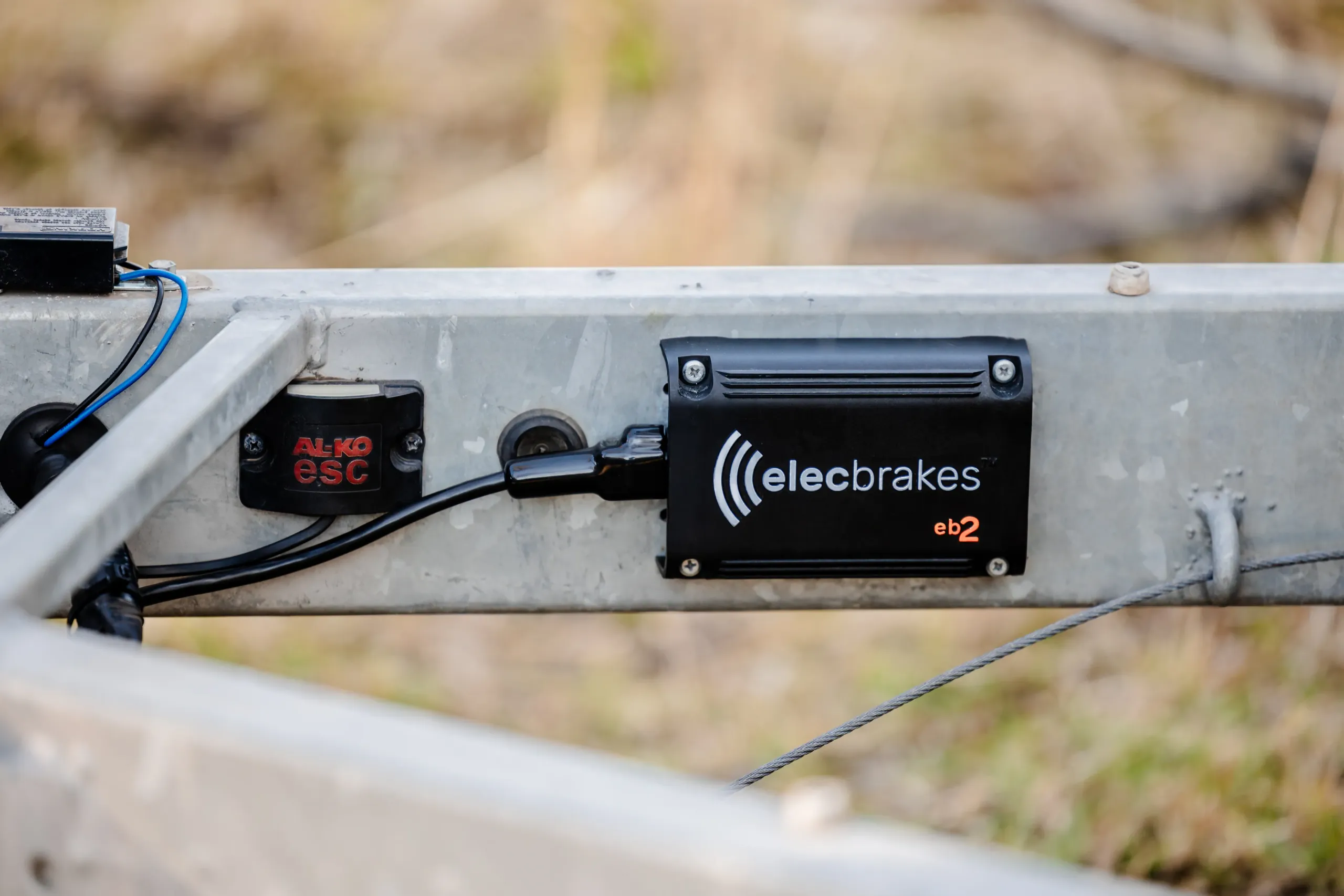
ELBC / EB2: The brake controller can be mounted directly to the trailer drawbar or crossbar, fastened with the 4x self tapping screws supplied. For drawbars narrower than 90mm, a mounting plate may be required, or choose an alternative location such as the underside of a tool box, the floor of the trailer, or other accessory brackets. The recommended mounting position is on the side of the drawbar, within 1m of the tow ball.
VM1: Preferably mounted to the rear of the vehicle in the boot area, rear quarter, ute tray, or vehicle underside, fastened with 4x self tapping screws supplied. Choose a practical location that allows the provided cable to reach the auxiliary power supply and the vehicle trailer socket wiring.
Make sure one side of the unit is parallel to the ground and within 1m of the tow ball, meaning behind the rear axle, for correct operation.
Refrain from mounting the brake controller inside a closed metal enclosure, as this may affect Bluetooth® signal reliability.
Mounting screws are provided which require tools to install and remove. Alternative fasteners such as security screws or pop rivets may be used to make the unit harder to detach. Alternatively, remove the brake controller while it is not in use for prolonged periods if the trailer is parked somewhere non-secure.
For ease of installation, we recommend the following:
- Elecbrakes brake controller kit
- Electric drill and relevant PPE
- 4.5mm drill bit
- No. 2 Phillips head driver bit
- Marker pen
- Lubricant
Once a suitable location for mounting is established, mark and pre-drill the mounting holes and screw the brake controller carefully in place.
Note: If required in an emergency, it is possible to temporarily secure the brake controller with cable ties, straps or other suitable fastenings. Make sure the brake controller cannot rotate or move while in use, as this will affect its calibration and output control.
To reset and re-calibrate the brake controller's angle using the Elecbrakes App, follow these steps:
- Unplug the brake controller's 6 pin square Deutsch plug and unscrew the brake controller.
- Rotate the brake controller 90° or 180° from its starting orientation and place it on a flat surface.
- Plug in the Deutsch connector and power up to establish pairing via the app.
- On the Data tab, under Accelerometer information, the Angle should now indicate Auto. This confirms the angle has reset.
- Unplug the Deutsch connector and re-secure the brake controller in its intended location.
- With the trailer on relatively flat ground, plug the Deutsch connector in and check that Data > Angle is still shown as Auto.
- Drive the trailer straight ahead and apply the brake pedal once or twice so the brake controller can register its direction of travel.
- The Angle should now register a value in degrees, indicating calibration is complete.
- Proceed to adjust the user defined settings as required.
For testing purposes, it may be necessary to temporarily raise the minimum (static output) brake response to a higher value. This influences the brake response while the trailer is stationary, providing a suitable test for the wheel lock-up point if the trailer wheels are off the ground.
Note: Ensure the vehicle lights are switched on during testing and use (ELBC and EB2 only).
- ELBC: Via the app, when applying Manual Override or the brake pedal, you may be able to hear the brake magnets buzz or hum as they apply while the vehicle is stationary.
- EB2 / VM1: Via the app, when applying the brake pedal, you can view the Data tab > Outputs. The app shows both the voltage output to the brakes and the current draw from the magnets.
Installation Types
9 questionsElecbrakes offers two top-tier options: the EB2 Trailer-Mounted Brake Controller and the VM1 Vehicle-Mounted Brake Controller. Both are designed with unique benefits to cater to your specific towing needs, whether you are using multiple vehicles or multiple trailers.
With the EB2 mounted on your trailer, any vehicle can tow it without needing a brake controller installed. The VM1 is installed in your vehicle, letting you tow multiple trailers with a single vehicle.
Compare the two side by side on the products page to confidently select the best brake controller for your setup.
You must choose the appropriate Elecbrakes adaptor based on your tow vehicle's trailer wiring socket and your trailer plug. The differences are in the shape and pin count.
Start by confirming the socket type fitted to the rear of the tow vehicle, then select the trailer plug type.
Elecbrakes provides an adaptor for each combination of commonly available plug and socket, allowing you to connect your vehicle to your new trailer, or vice versa, potentially without changing the plug or socket on either. When towing with multiple vehicles, it may be necessary to have more than one adaptor type on hand to suit different combinations.
Elecbrakes brake controllers suit all trailers equipped with electromagnetic brakes up to 4500kg GTM. This includes, but is not limited to, box and goods trailers, caravans and campers, car carrying and flat top trailers, and horse floats.
- For ELBC and EB2 powered via brake and tail light circuits only: up to 2 braked axles (16A output).
- For all Elecbrakes brake controllers provided with a 12V to 24V DC dedicated power supply: up to 3 braked axles (24A output).
All Elecbrakes brake controllers with integrated SwayControl may be installed in conjunction with electric over hydraulic brakes, so long as the hydraulic actuator's installation requirements are met. Check your hydraulic actuator installation manual for those requirements.
Electric over hydraulic brakes are commonly found on marine applications such as boat trailers, allowing the trailer axles to be submerged when loading and unloading.
Yes. A Wired Leader provides a permanent alternative to a plug-and-play adaptor by connecting directly to the trailer's wiring rather than sitting between the existing trailer plug and vehicle socket.
Match the wire colours to the trailer plug using the wiring guide above, and refer to the pin numbers in the EB2 Technical Manual. Inside the trailer plug that connects to the tow vehicle socket, the service brake wire (blue) must be joined to create a closed circuit between the brake controller and the brake magnets.
Most common electric-hydraulic actuators require a service brake input for proportional control. This is provided by the Elecbrakes brake controller via the blue service brake wire. In addition, the actuator requires its own power and earth circuit to operate.
Refer to the manufacturer's documentation for the hydraulic actuator to confirm the peak current draw specifications. Depending on the brand and specification, this may be greater than 30 amps, requiring a separate Anderson plug, battery power source or similar.
To be clear, Elecbrakes brake controllers do NOT supply the operating power to the actuator, only the braking response via the service brake circuit. If you are unsure whether you have a suitable power supply for your actuator, contact your trailer manufacturer or actuator supplier, or reach out to our customer service and technical support team.
Historically, most commonly installed sway control systems are compatible with the Elecbrakes brake controller service brake output.
As per the manufacturer's specifications, some third party sway control systems may require an auxiliary power supply for primary function, followed by a suitable service brake signal to wake the system up. Once the system is awake it allows the pass through of the service brake output, as confirmed when testing slow speed brake application.
Due to ADR compliance requirements, service brake control takes priority, and compatibility testing is generally completed by the sway control manufacturers.
See the SwayControl questions above for how third-party sway controllers interact with the built in SwayControl feature. For further information, please email support@elecbrakes.com.
When your trailer manufacturer advises that installed accessories require an auxiliary power and earth supply, or the trailer is fitted with a 12 pin plug, auxiliary circuits may need to be provided by the tow vehicle. These can be added via pins 8 to 12. In this scenario we recommend a 12 pin to 12 pin adaptor so the auxiliary circuits pass through.
In some cases an Anderson plug is required, where the installed accessories draw more than 30 amp peak. Follow the manufacturer's recommendations for adding that circuit.
Warning. When working with any additional plugs for auxiliary power on the trailer, you MUST ensure the earth returns for the accessories are separated from the trailer lights and service brake circuits. A shared earth return makes it possible to overload the earth circuit on either plug should you have a poor earth connection through corrosion or dirt buildup.
Yes, for the lighting circuits and the service brake function. Be aware that any accessories wired via Pins 8 to 12 on the trailer will not be operational in this scenario.
An optional light duty auxiliary may still be provided via Pin 2, suitable for up to 15 amp capacity once the combined lighting circuit current draw is factored in. To use the additional five pins of a 12 pin flat plug you need a vehicle modification and a 12 pin to 12 pin adaptor.
There isn't one, and that is deliberate. The design of a 7SR socket includes mounting tabs to support its bulkier fittings, which leads to a heavier adaptor connection and reduced connection quality in use. For that reason Elecbrakes does not offer a small round to small round adaptor.
We recommend either a Wired Leader installation, or replacing the small round plug and socket with a flat type arrangement.
Safety
7 questions- Depending on state specific laws, exemptions may apply to safe mobile phone use as a driver's aid, whereby the mobile phone must be secured in a cradle fixed to the vehicle. The Elecbrakes App is also compatible with Apple CarPlay and Android Auto equipped vehicles to further support this. Please check your local and state laws, as they are updated on occasion.
- User defined program adjustments via the app or the Elecbrakes Remote should be made once the vehicle comes to a complete stop. The settings you adjust, based on trailer feedback, are saved to the brake controller and continue to respond to the vehicle control signal under normal braking application.
- Manual Override is a feature included in the app based on customer response, and is not an ADR compliant function of the brake controller. Where state laws stipulate against the use of a mobile device as a driver's aid, and Apple CarPlay or Android Auto™ is not equipped to the vehicle, you may choose to purchase an Elecbrakes Remote to use this function.
Yes. Elecbrakes brake controllers were developed to work in conjunction with the trailer's braking system to meet ADR 38/05 requirements.
When trailers visit an authorised inspection station for a safety check, the trailer itself is assessed for compliance and safety, not the brake controller. This is because the Road Vehicles Standards Act 2018 applies to vehicles imported or manufactured to be registered and driven on roads within Australia. The registry of approved vehicles is maintained using a VIN number, which identifies the applicable ADRs for compliance and assessment.
Adhering to ADR 38/05 rules and regulations, Elecbrakes provides a solution for customers requiring a brake controller to operate the service brakes fitted to their ADR and RVS compliant trailer.
Trailers exceeding 750kg GTM up to 2000kg GTM must be equipped with an efficient service brake system, whereby the braking force can be progressively increased and decreased by means of the control signal from the towing vehicle. This applies whether the brakes are inertia based mechanical or electromagnetic.
Trailers ranging from 2000kg to 4500kg GTM must be equipped with an efficient service brake system that operates on all wheels.
Every trailer having a Gross Trailer Mass over 2 tonnes must ALSO be equipped with an efficient Emergency Brake System, or breakaway system, which is a separate function to the brake controller and not part of our product range. The breakaway function must be capable of automatically applying the trailer brakes for at least 15 minutes in the event of the trailer accidentally becoming disconnected from the tow vehicle.
Reference: ADR 38/05 legislation
The following control signal is used by Elecbrakes brake controllers to engage and modulate the trailer brakes:
- The voltage that is switched on for the brake lights when the tow vehicle brake pedal is depressed, measured by the brake controller via the hardwired connection to the trailer brake light circuit.
- The deceleration of the vehicle and trailer combination, measured directly by sensors inside the brake controller.
During normal operation, the braking force is increased and decreased by means of that control signal. When the brake light voltage turns on, the brake controller knows braking is required, and the force applied by the tow vehicle brakes tells it how much additional proportional braking force is needed. The trailer brake force is varied in direct proportion to the measured deceleration, responding to changes 1000 times a second (1ms response time). The ability of the brake controller to operate in this manner is in no way dependent on an active Bluetooth® wireless connection.
Brake feel can be adjusted through Bluetooth® connectivity using the Elecbrakes App or the Elecbrakes Remote, sold separately. This lets the driver tailor the response by changing the minimum and forward parameters, saved within each of the 5 user defined programs.
If the Bluetooth® wireless connection disconnects at any time, the last saved parameters for the selected program are used. Assuming the brake controller remains powered, the connection is re-established automatically and seamlessly.
Under the Road Vehicle Standards Act 2018, and the current CRN and SARN approval scheme, there is no mandatory requirement for brake controllers to be type approved. See the component type approvals guidance for detail.
As per ADR 38/05, in Australia every trailer having a Gross Trailer Mass over 2 tonnes must be equipped with an efficient Emergency Brake System, or breakaway system. This is a separate function to the brake controller and is not part of our product range.
The breakaway function must be capable of automatically applying the trailer brakes for at least 15 minutes in the event of the trailer accidentally becoming disconnected from the tow vehicle.
- For registration inspection purposes, when testing the trailer braking function or efficiency on a rolling road or with the wheels suspended, it may be necessary to increase the static output from the brake controller (Minimum %) because no inertia or deceleration is present.
- If there is a program not currently in use, it may be suitable to adjust its settings and rename it for future inspection testing. If all programs are in use, make sure the original settings are restored after testing is complete.
Excessively high settings may cause a harsh response or wheel lockup, so adjust the Minimum % response upward progressively to achieve the desired result.
Technical Specs
3 questionsElecbrakes brake controllers are compatible with 12V and 24V DC vehicles, requiring a minimum input of 10V. The functional input voltage ensures there is adequate power received from the tow vehicle to engage the brakes appropriately.
EB2 and VM1 require a minimum input of 10V to turn on and a minimum of 9V to remain on. If the input voltage falls below these thresholds, the Under-Voltage Lockout protection triggers and the controller shuts down to prevent unpredictable output.
- When the brake controller is mounted parallel to the ground and powered up, the on-board 3 axis accelerometer senses gravity and registers the orientation axis, meaning which face is up.
- During the initial test drive, on the first or second brake application, the brake controller calculates the forward direction of travel forces and registers the device angle in degrees. If the brake controller is installed on the A-frame or drawbar, it mixes the two remaining axis inputs to calibrate to the forward direction of travel.
- Once calibrated, the brake controller continues monitoring changes in deceleration plus inclines and declines, to proportionally adjust the required braking output.
If one of the safety critical events below is triggered on the brake controller, a push notification is sent to your phone via the app alerting you to the potential issue. That means quick and easy troubleshooting, and peace of mind while towing.
Short Circuit Protection (SCP). The EB2 and VM1 have integrated short circuit protection, so in the case of a wiring or system hard fault the protection triggers and disables the brake controller output. This occurs for currents greater than 32A and triggers in less than 32µs.
Thermal Protection. Thermal protection algorithms ensure advanced thermal management in the case of a system fault, while still enabling the brakes to be engaged. In practical terms, where the brake controller is overheating due to a fault or improper use, it continues to function to some degree in order to maintain braking output.
Under-Voltage Lockout (UVLO). EB2 and VM1 require a minimum input of 10V to turn on and a minimum input of 9V to remain on. This ensures adequate power is received from the tow vehicle to engage the brakes appropriately.
Note: Some 24V to 12V step down converters drop the output voltage below these critical thresholds. Please make sure your step down converter is working correctly.
Over-Voltage Protection (OVP). Actively protects against high voltage transients common in noisy automotive systems.
Bluetooth® Wireless Technology
7 questionsBluetooth® is a short-range wireless communication technology that allows devices to exchange data over a short distance, enabling seamless interaction when sending and receiving data or providing feedback to the user in real time.
EB2 / VM1: You must use the app on your smartphone during the initial setup phase. To download the app, simply search 'Elecbrakes' on the Play Store or App Store. If your brake controller is accessible you can tap your NFC enabled device to the Elecbrakes logo on the housing.
- Opening the app prompts the onboarding process, leading you to a Welcome page where you choose your brake controller. Ensure the tow vehicle headlights are turned on to enable an active Bluetooth® connection.
- If your brake controller is an EB2, simply choose the Elecbrakes EB2 image.
- When prompted 'Tap to Add', tap your phone again on the EB2 housing to pair your device. Alternatively, you can add the device via Bluetooth® from the driver's seat by selecting 'Search Manually'.
- Follow the remaining onboarding steps in the app to confirm brake pedal response, then adjust your settings.
The short answer is no. Elecbrakes is engineered to allow only one user interface at a time, so full uninterrupted control is always maintained by a single user.
To switch between devices, select the 'Devices' tab in the app and press the orange button to the left of the device name. This disconnects or reconnects depending on the current connection status.
Assuming the brake controller remains powered, if the Bluetooth® wireless connection disconnects at any time, the brake controller and SwayControl logic continue to function and provide brake output using the last saved parameters for the selected program. The connection is re-established automatically and seamlessly, almost instantly.
If the connection drops for longer periods, meaning a disconnect or poor connection, the app reverts to 'searching' or may prompt a 'Low voltage input' warning. The driver should safely pull over and check the physical wiring connections, as any type of power loss will generally affect trailer light function and brake response. This feedback notifies the driver of a possible issue, and once restored, pairing resumes connection and normal operation.
Confirm your EB2 is running the latest firmware and check for updates via the app settings tab. Firmware updates on all new models allow Bluetooth® to maintain an active connection when receiving only 5V to 6V, assisting the diagnostics process within app Data.
Note: Functional voltage above 10V is required to resume normal operation and brake response.
- When using a mobile phone and minimising the Elecbrakes app to bring another app to the main screen, the app maintains an active pairing in the background. The brake controller continues to respond to the vehicle's control signal and applies brake response when requested. Using the phone's active task list to switch back to the Elecbrakes app re-enables access to the app, settings and override.
- With Android Auto or Apple CarPlay, many vehicles offer quick access to toggle between the most recently used apps, such as maps or calls.
The Elecbrakes app is compatible with:
- iPhone running iOS 15.0 or later
- Android 10 or later
When you search for 'Elecbrakes' in your app store and select download, a notification may indicate if your device is not currently suitable to download and install the app.
Some devices may require a software update before allowing the app to download, while others may have a software or hardware limitation preventing it. Please check your phone settings for any available software updates and complete them as necessary.
- Device operating system updates can either improve or degrade device performance, depending on factors like optimisations, new features, compatibility and security protocols. Apps are untouched by the operating system update process.
- After a device software update, if the Elecbrakes app operates in an unusual manner or is not pairing to the previously paired brake controller, it may be necessary to reinstall the Elecbrakes app. During the uninstall and reinstall process, check the phone's Settings > Bluetooth > previously paired devices list, making sure any previous Elecbrakes products are removed from this list before opening the app to establish a new pairing.
- Elecbrakes app updates often include optimisations and new features that are thoroughly tested with existing devices to ensure compatibility across both earlier and newer versions of our brake controller products.
Apple CarPlay & Android Auto™
4 questionsApple CarPlay and Android Auto display an optimised version of the Elecbrakes app from your mobile phone on your car's infotainment system, offering a user-friendly interface. Whether access is wireless or wired depends on your vehicle model.
For connection steps and further detail, see the Elecbrakes app and CarPlay overview.
All Elecbrakes brake controllers actively paired via the Elecbrakes app can be used with Apple CarPlay and Android Auto.
As the Elecbrakes app functions as a driver's aid, it does not allow split screen operation. You can toggle between apps via the quick access panel, or your app list as required.
For more information on how to use the Apple CarPlay or Android Auto features, refer to our user guides for all the tips and tricks:
Tech / Warranty / Help
5 questionsFor DIY enthusiasts or trailer repairers, on occasion it may be necessary to test the trailer brakes while the wheels are in the air or the trailer is stationary.
Power up the brake controller and pair via the app, then temporarily adjust the Minimum % response to a higher value to create a static output for testing.
- ELBC: Via the app, when applying the brake pedal or manual override, you may be able to hear the brake magnets buzz or hum as they apply while the vehicle is stationary.
- EB2 & VM1: Via the app, when applying the brake pedal or manual override, you can view the Data tab > Outputs. The app shows both the voltage output to the brakes and the current draw from the magnets.
Note: With a higher percentage applied for testing, if the current draw indicates 0.00A to 0.01A there may be an open circuit or poor connection.
If you have access to a multimeter, you can confirm earth and voltage are present at the brake controller's Deutsch plug by following the steps below. The brake controller requires a minimum input of 10V to enable pairing or brake response, ideally registering 12V or more with the vehicle idling.
With the adaptor and brake controller connected to the tow vehicle, and the ignition and headlights on:
- Probe the earth (white wire) and the tail light (brown wire).
- With the brake pedal depressed, probe the earth (white wire) and the brake light (red wire).
If the voltages are fluctuating or below 10V, there may be a poor connection at the adaptor, plug or vehicle socket. After checking the pin terminals are free of corrosion and that pins are not splayed, further investigation into the vehicle's wiring may be required by an auto electrician.
If the EB2 or ELBC brake controller does not receive a stable, functional input voltage from either the tail light circuit or the auxiliary circuit, it will not maintain a Bluetooth® connection to the app or the Elecbrakes Remote.
In this scenario, pressing the brake pedal in the tow vehicle may result in the brake controller receiving a functional input voltage from the brake light circuit. This triggers a brake response from the brake controller in a reduced state, providing haptic feedback to the user in the form of a pulsed brake output. This response may be more aggressive than typical, to prompt you to pull over and assess the situation before proceeding.
The Power Test, available on the app home screen, is a quick pre-trip check for EB2 setups powered from the vehicle's tail light circuit, meaning when you are not using a dedicated auxiliary feed.
Because SwayControl can engage before the vehicle's brake lights are on, an EB2 running on light circuit power supplies the trailer brakes from that same circuit. This SwayControl specific test measures your vehicle and trailer power characteristics and sets a suitable maximum brake output for that circuit, helping deliver confident, consistent assistance on light circuit power.
If your EB2 is supplied by a dedicated auxiliary feed, running the Power Test is not necessary, though it remains a useful check.
- For self-help guided tests, see the Troubleshooting section of the Help Centre.
- For setup or settings related assistance, refer to the EB2 User Guide or the VM1 User Guide.
- For all other enquiries, reach out to our team via support@elecbrakes.com or 1300 516 248.